Flash Cards, a product I built alone with AI
Students get the textbook’s words and grammar on their phones. The teacher gets their progress and mistakes. I make product decisions from the answer log.
- TL;DR
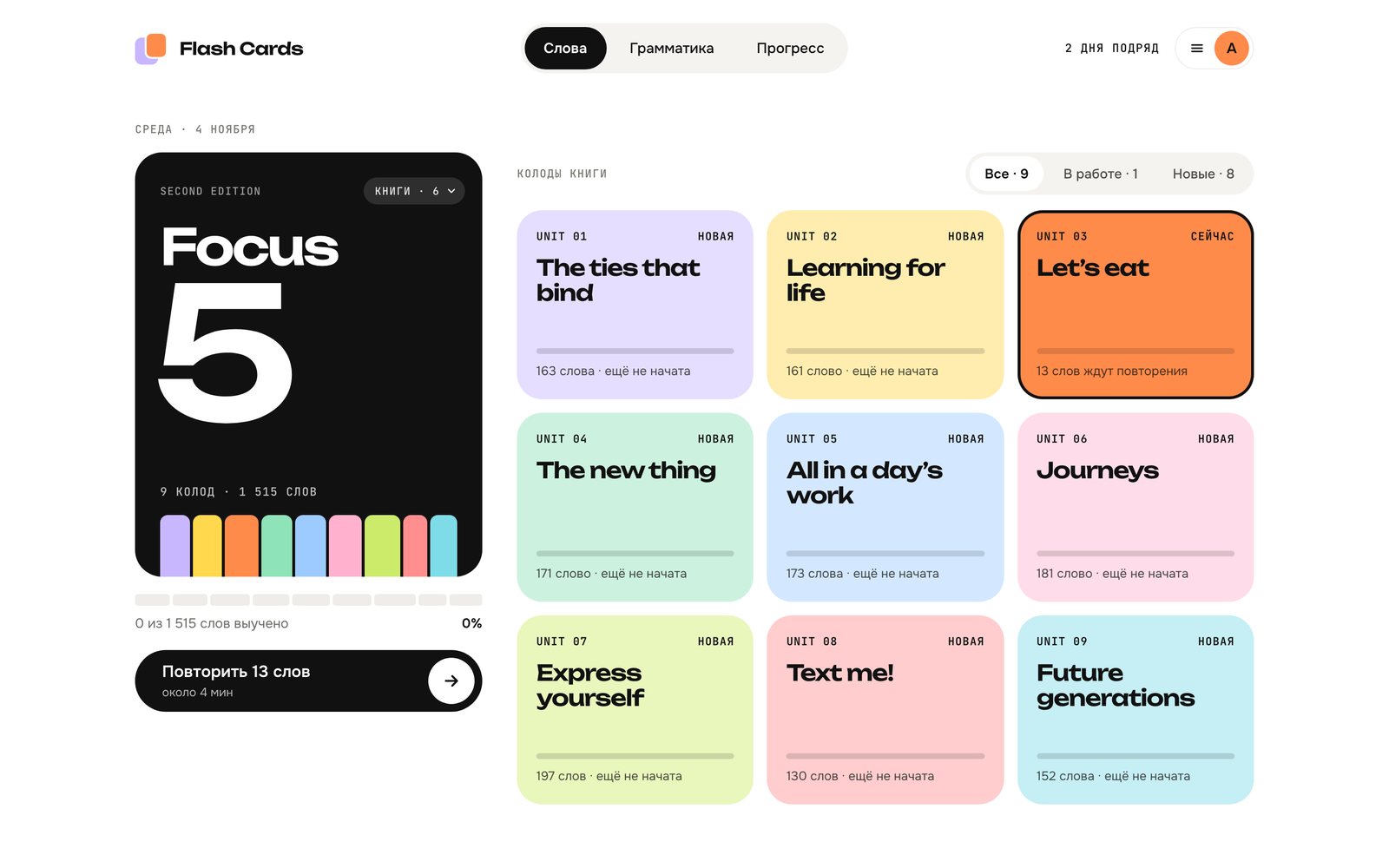
- Product: a web app for a private English teacher’s students. Every word from the Focus 1–5 textbooks and every exercise in the Golitsynsky exercise book is ready to study. The teacher sees how each student is doing and where they make mistakes.
- Problem: each book has 1,100 to 1,900 words and phrases. Ready-made services make you type in the cards by hand first, and the teacher can’t see whether a student studies at all.
- My role: the whole product: research, method, content, design and analytics. Claude Code writes the code from my decisions, and my skills UI Lab and UX Lab do the review.
- Result: two days from research to the first students. In a month, 11 students, 1,721 answers, and 79% of started lessons finished. In the answer log I found where students drop a lesson and shipped a fix.
The task
The teacher runs lessons on a method of their own: vocabulary from the Focus textbooks (Pearson), grammar from the Golitsynsky exercise book. Students asked one question more often than any other.
Focus 4 has 1,871 entries. Almost half the entries in the books are phrases like be on the verge of doing sth.
In Quizlet, Anki and similar services, you have to type the textbook’s words in first. 1,500 entries with a translation and an example take a student or a teacher weeks. I suggested building the cards on the rules of how memory works and preparing the words in advance, for all students at once.
I took the FSRS review algorithm and the idea of a “hard word”.
No teacher dashboard, and the only answer is a self-rating.
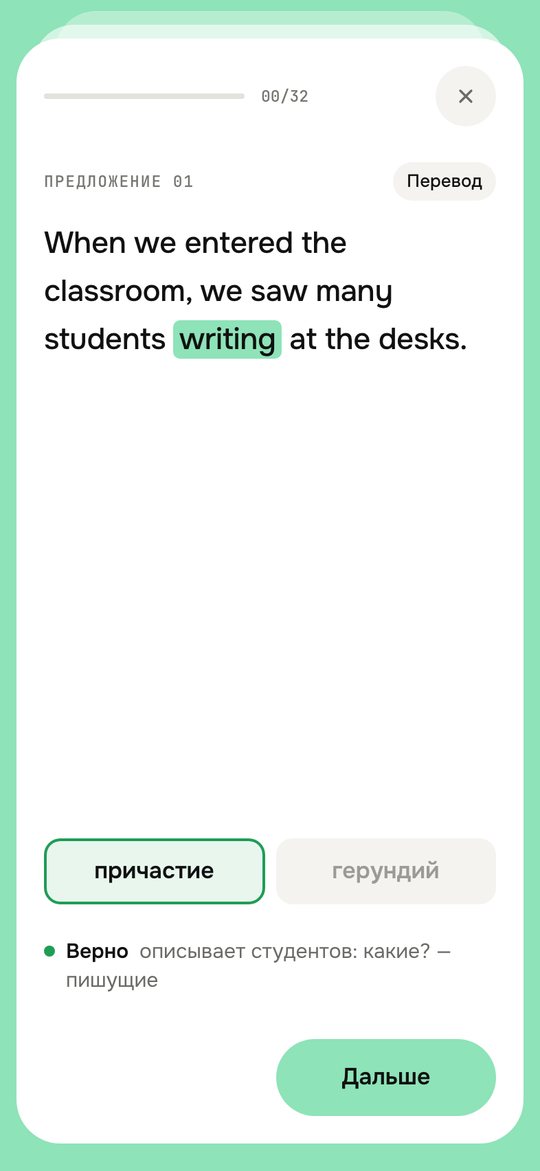
I took the Learn ladder from choosing to typing, and the “My answer is correct” button.
Learn is paid, and spaced repetition is weak.
I took typing the answer right into the gap in a sentence, lenient typos and a hint on tap.
You can’t add your own book or your own words.
I took its tolerance for typos when typing.
No teacher mode.
The niche for Flash Cards: the words of one specific book, Anki-level reviews, a ladder of formats like Quizlet’s, and a teacher who sees every student.
A new deck in four rounds
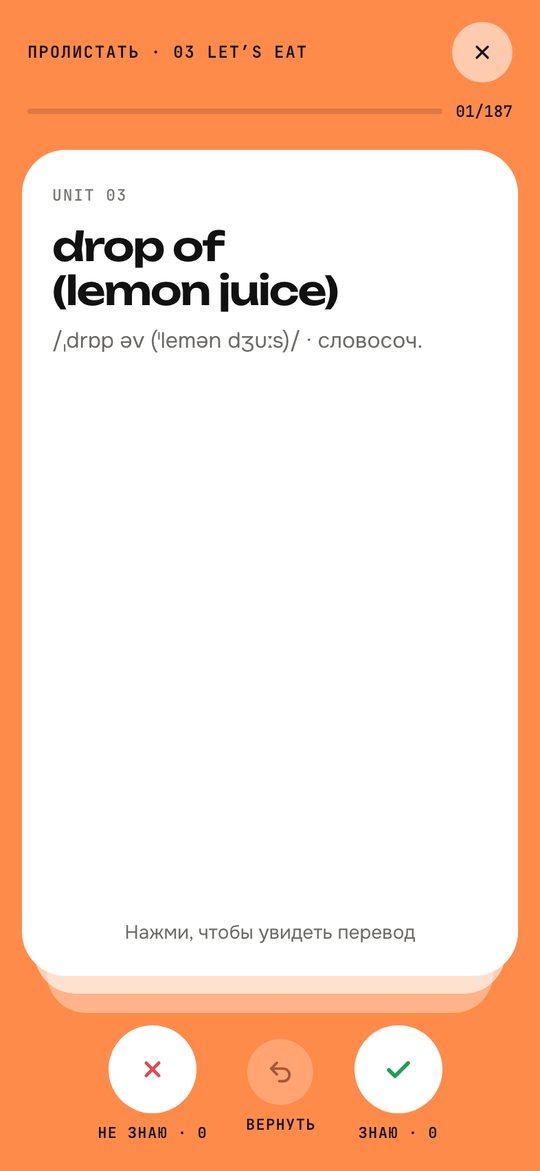
New words come in batches of seven. First the student sees the whole word, then recognises it among options, then picks it from the translation, and finally types it. Each round is harder than the last, and a word with a mistake goes back to the end of the round.
The strip scrolls sideways, and the screenshots open full size.
The book’s decks
“Review 13 words” on top, the decks in progress below.
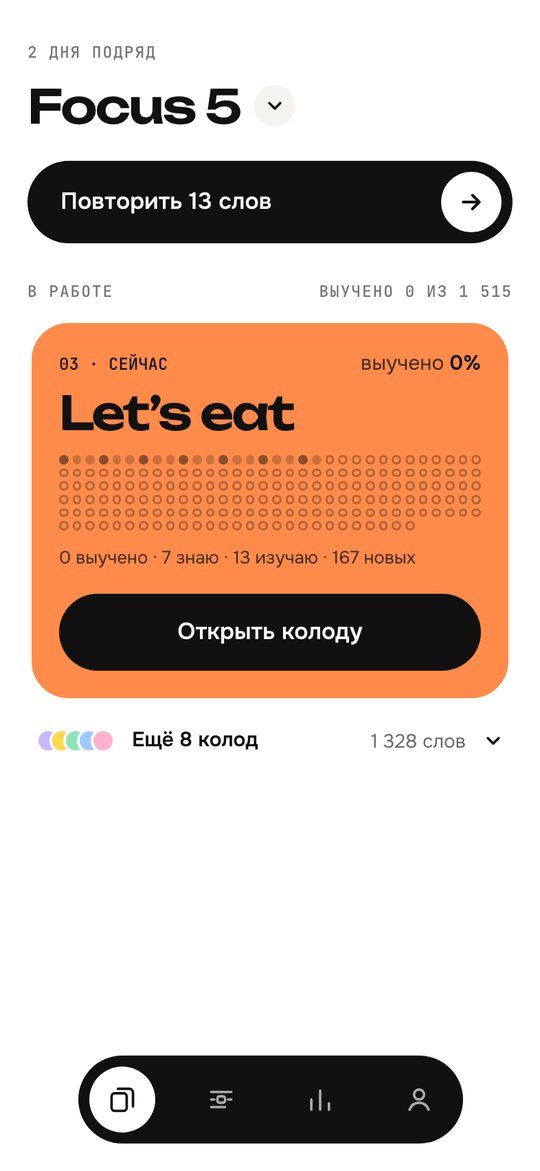
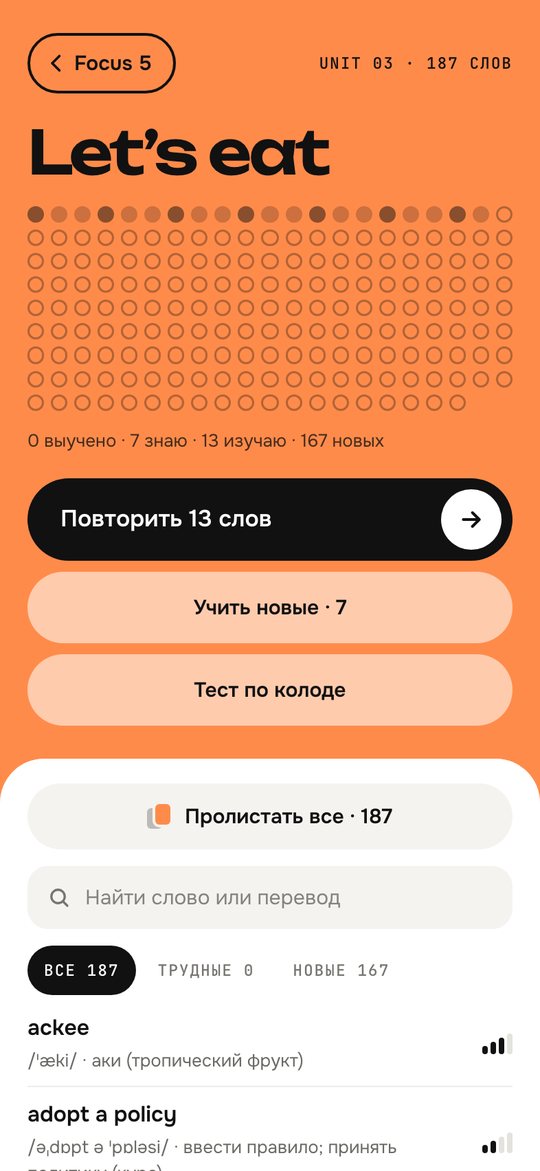
One dot, one word
The darker the dot, the better the word is learned.
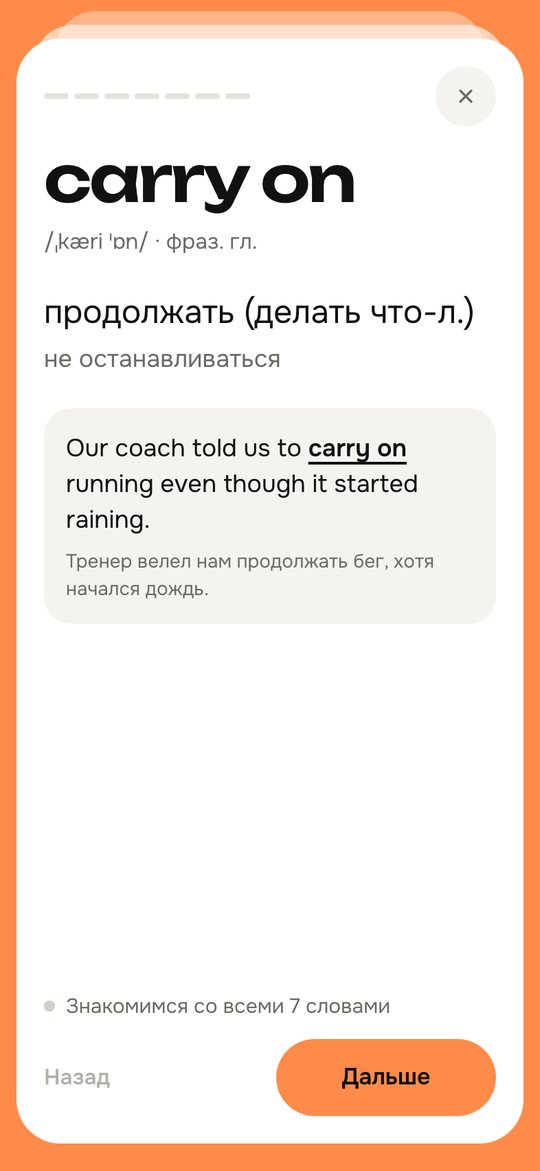
Introduction
The word, its transcription, a translation and an example.
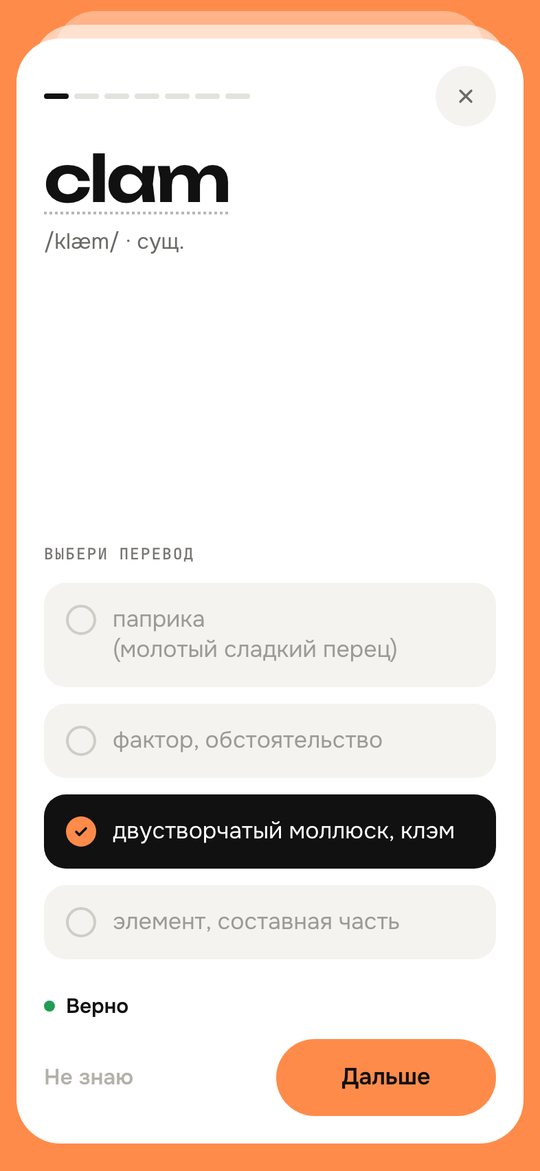
Recognition
An English word: pick the translation.
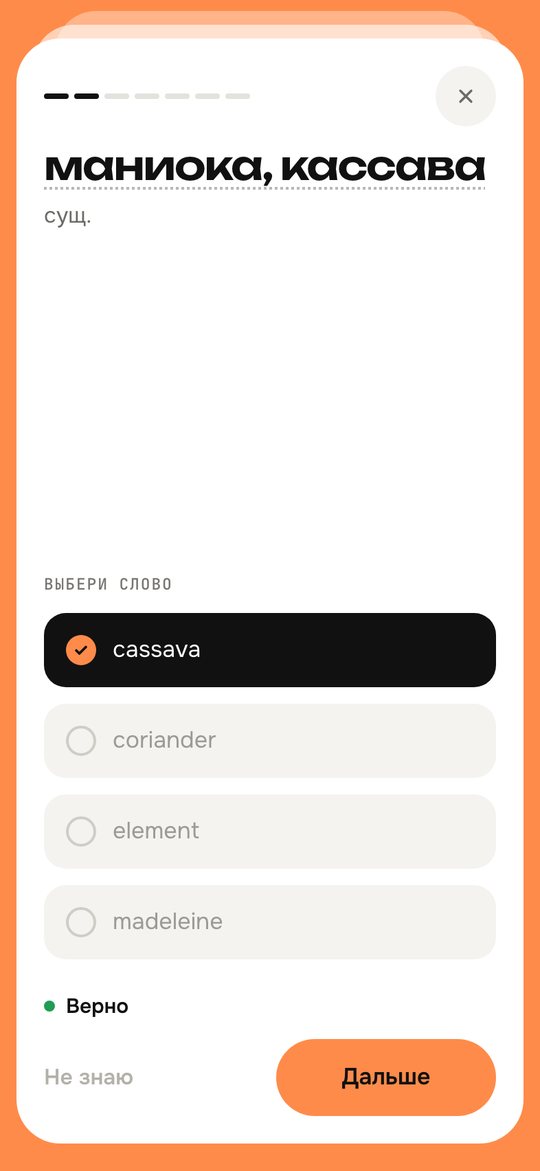
Recall
A translation: pick the English word.
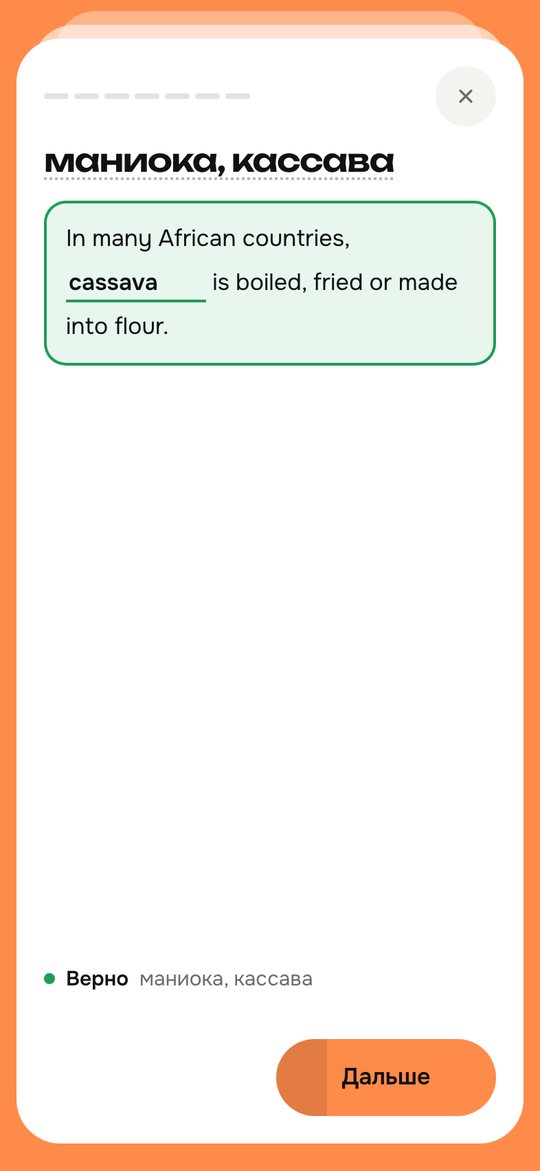
Typing
The student types the word right into the gap in the example.
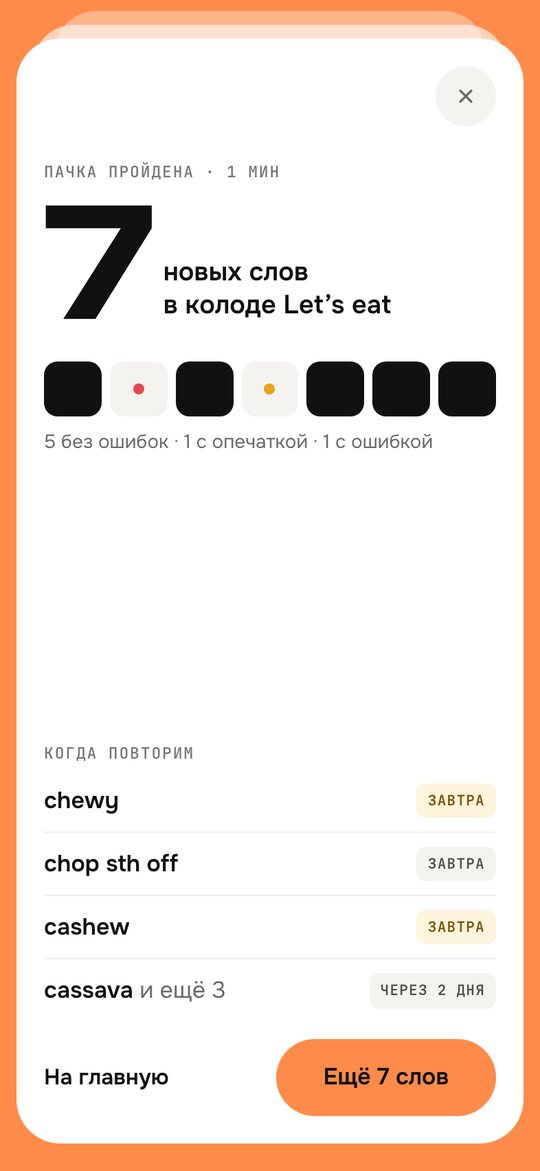
When we review next
Words with mistakes come back tomorrow, the rest in two days.
Comes back at the end of the round
An unfair check can be disputed.
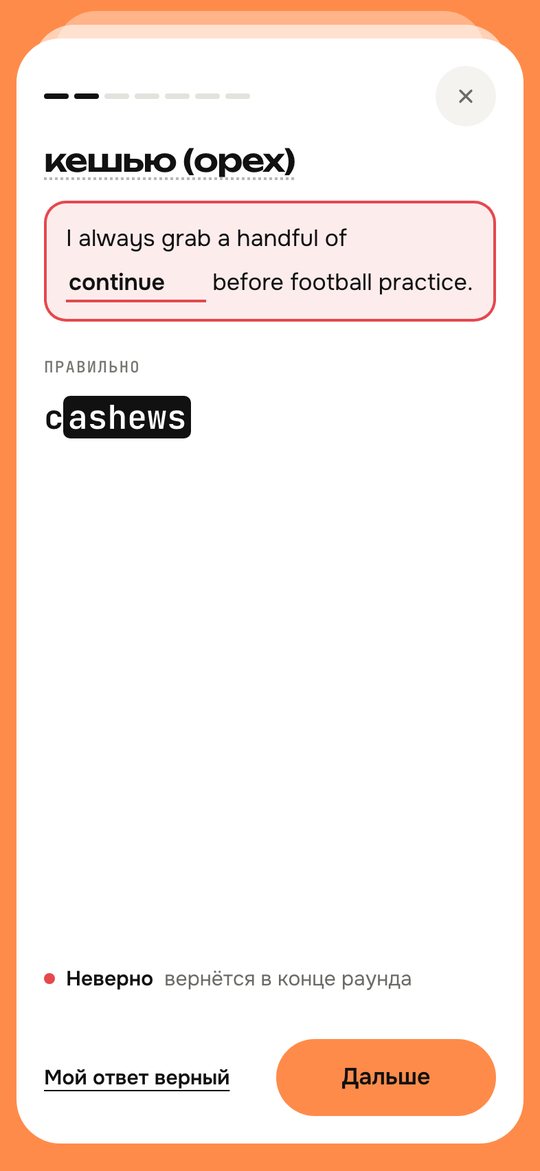
Peek at the word
Tap the dotted word to see the word and an example on top of the card.
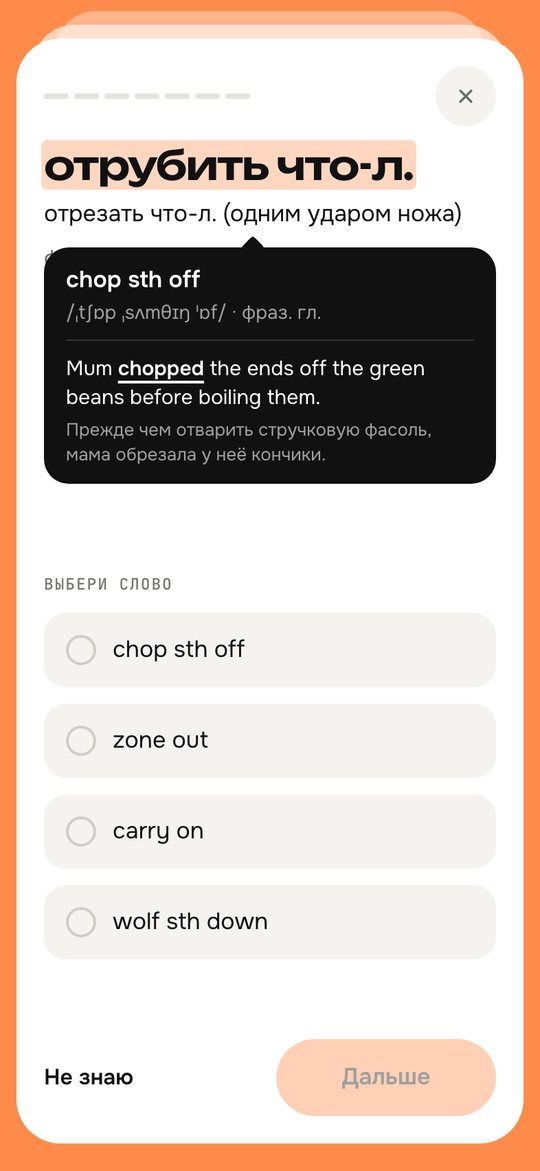
Every day and before a test
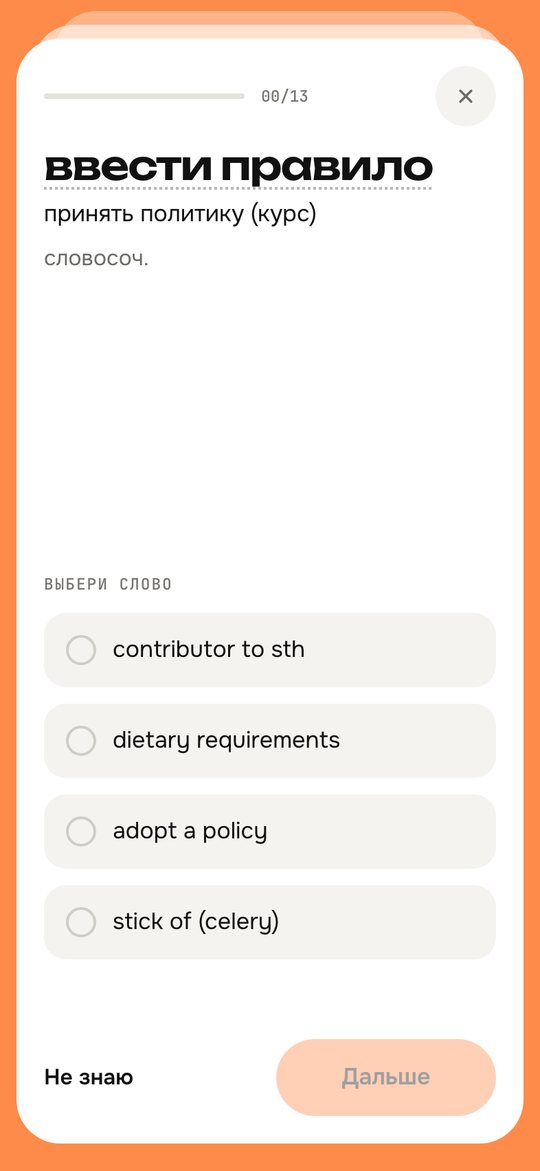
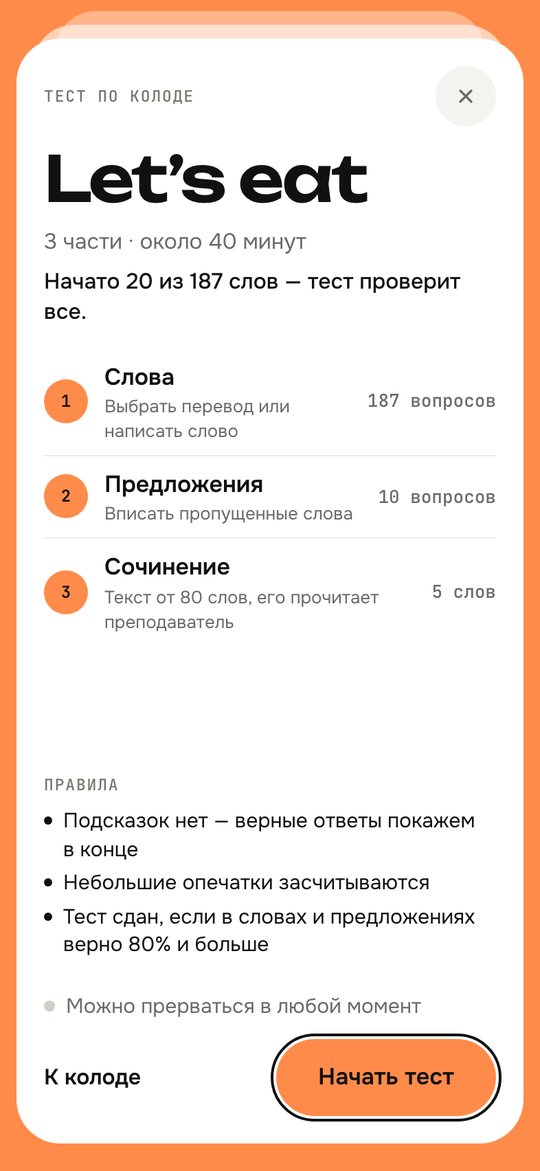
Grammar: the whole Golitsynsky exercise book on a phone
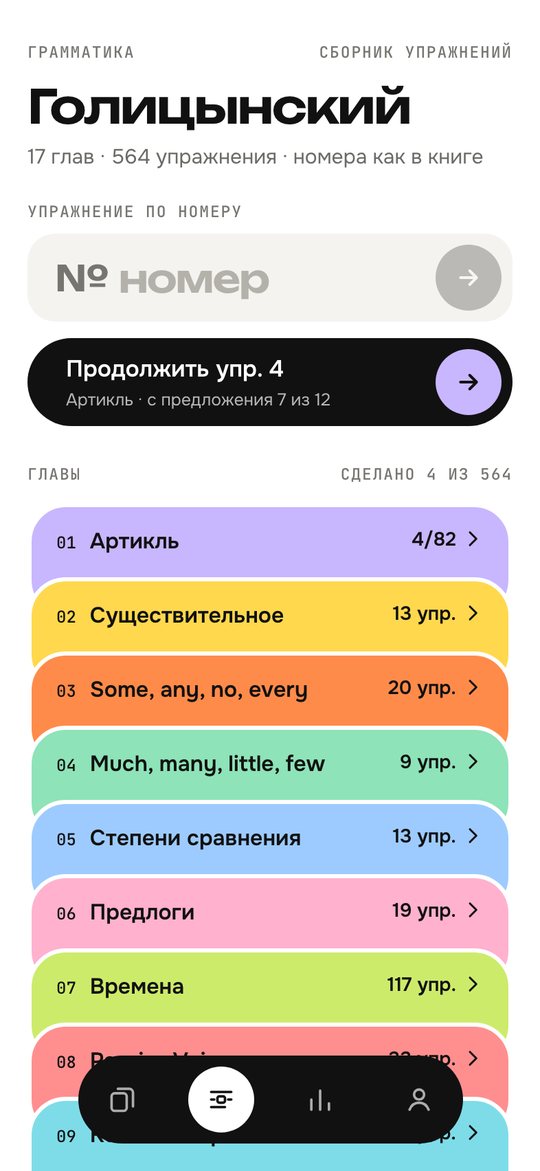
Once the words worked, the teacher and I decided to do grammar the same way, from the exercise book the lessons follow. The book has 17 chapters and 564 exercises but no answers: those came out as a separate book. I prepared the answers with every acceptable variant together with AI and checked them against images of the pages.
The numbering matches the book. In a lesson the teacher says “let’s do two hundred and five”, and the student types the number instead of looking for the topic.
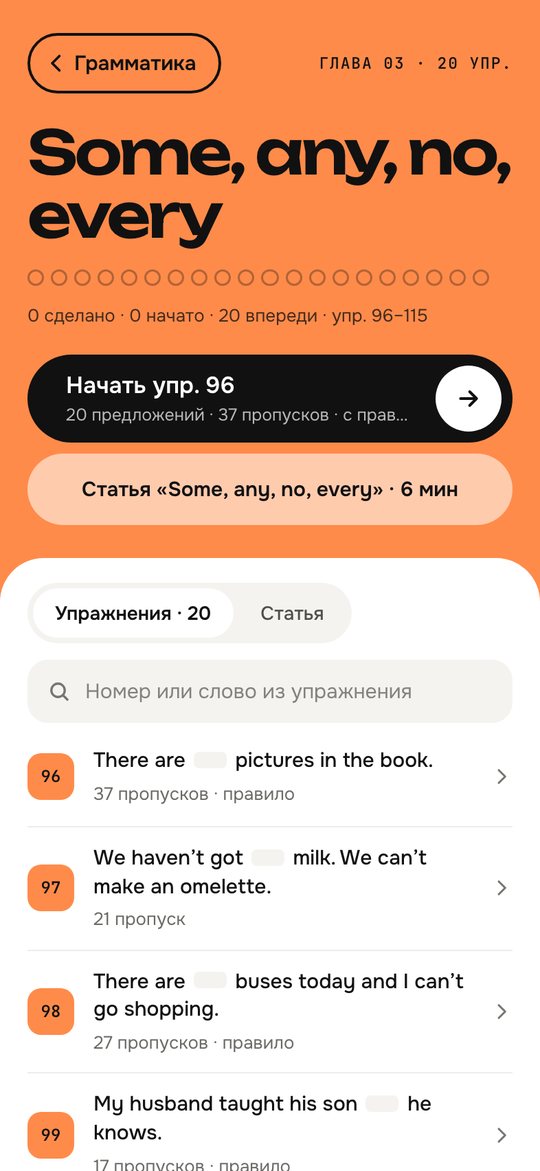
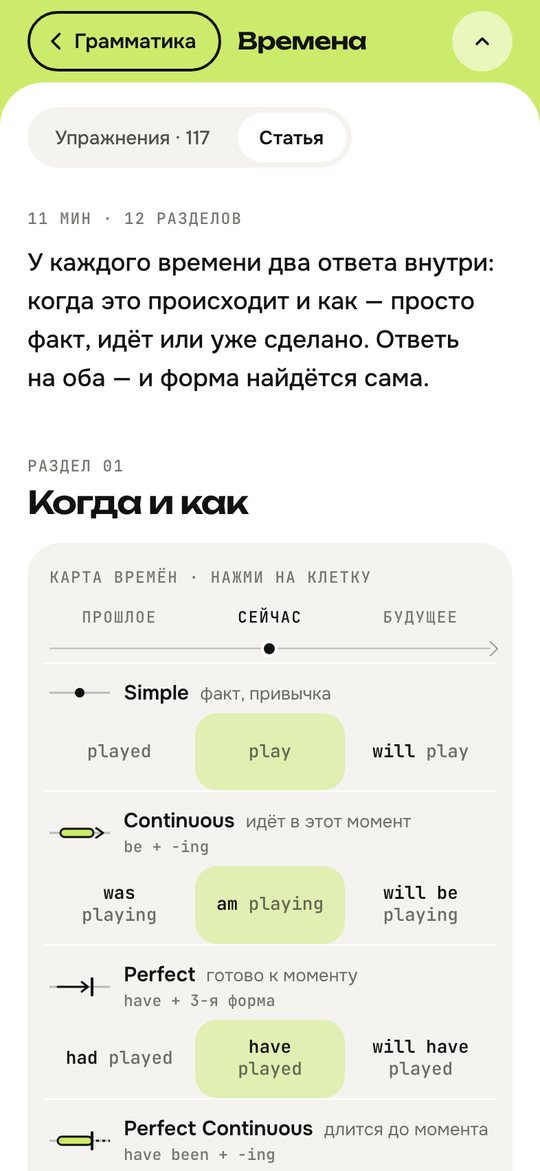
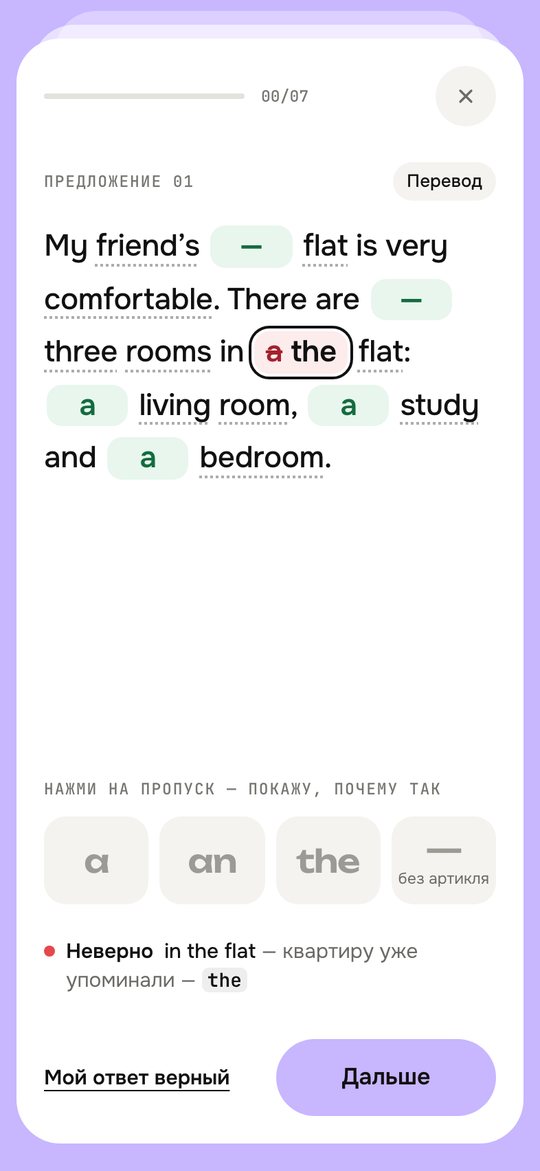
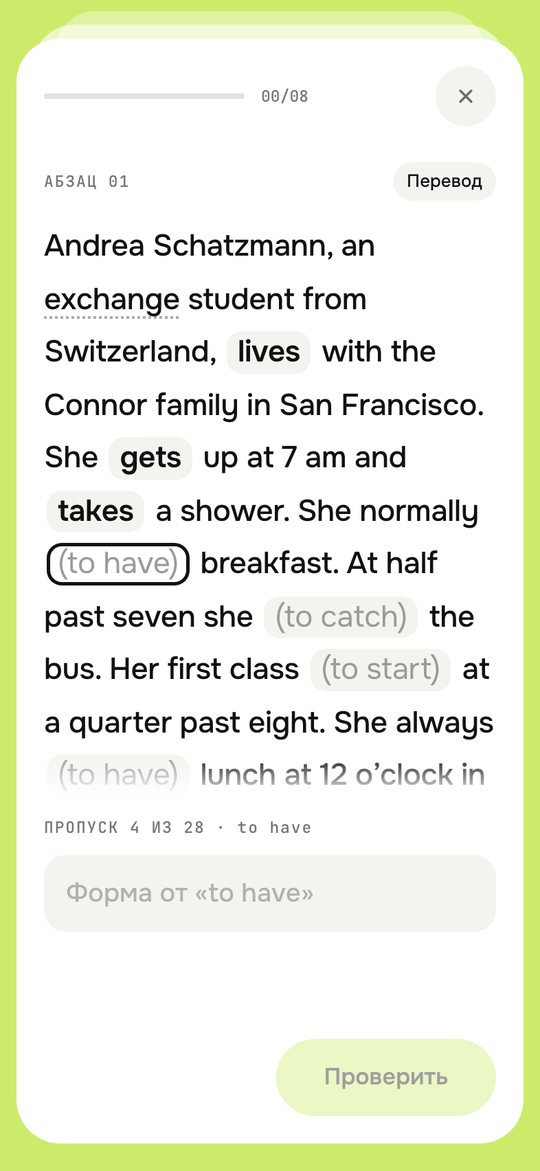
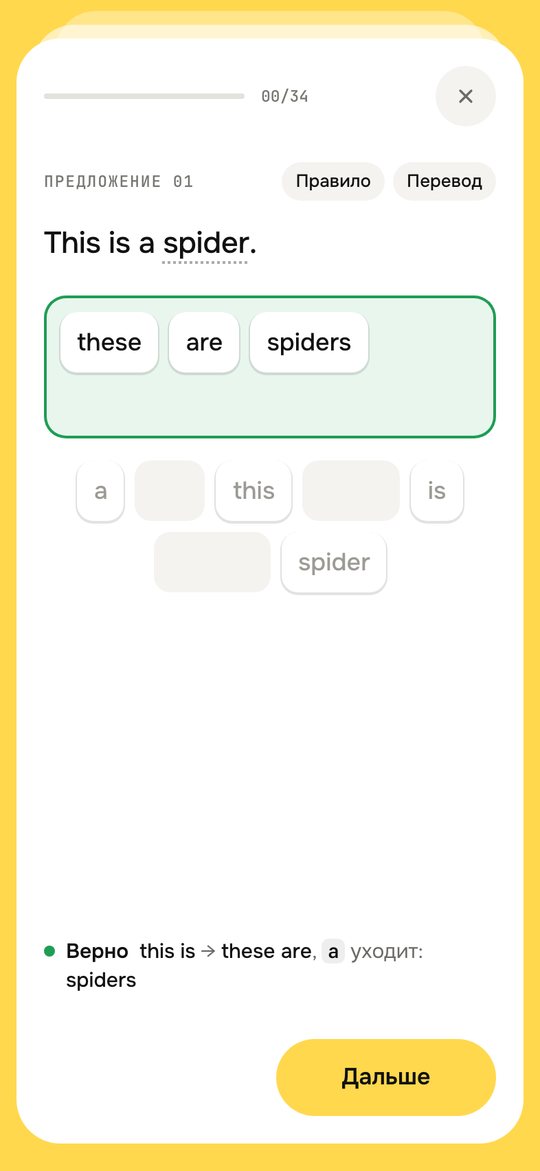
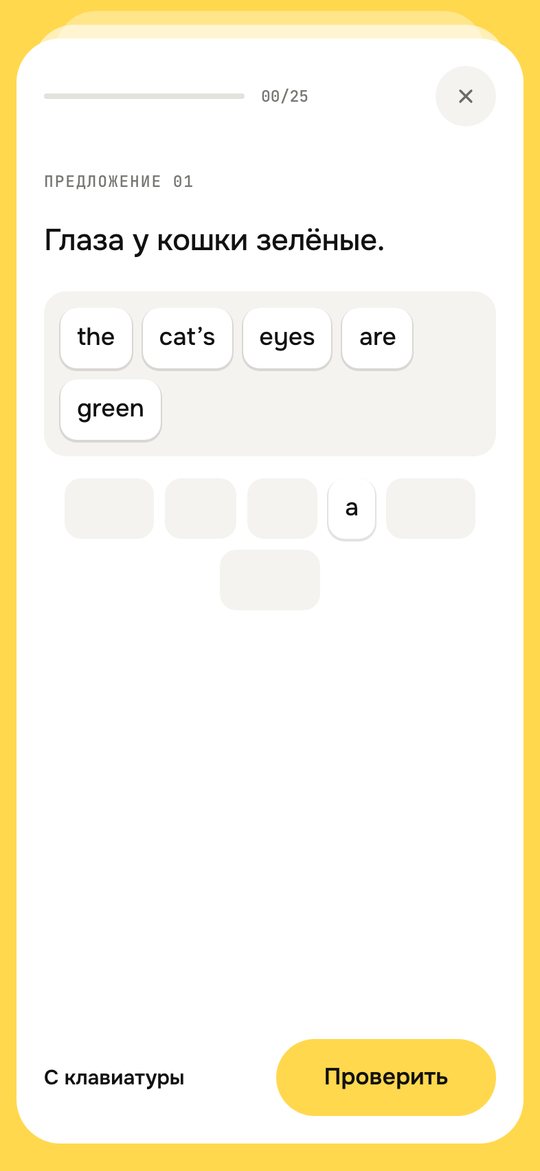
Each task in the book gets its own mechanic
Mistakes come back at the end of the exercise, and every gap has a “why” line with a link to the rule.
Everyone’s progress and mistakes in one dashboard
The dashboard has no assignments and no deck permissions: students choose for themselves. It shows how each student is studying, what comes hard and what to go over in the next lesson.
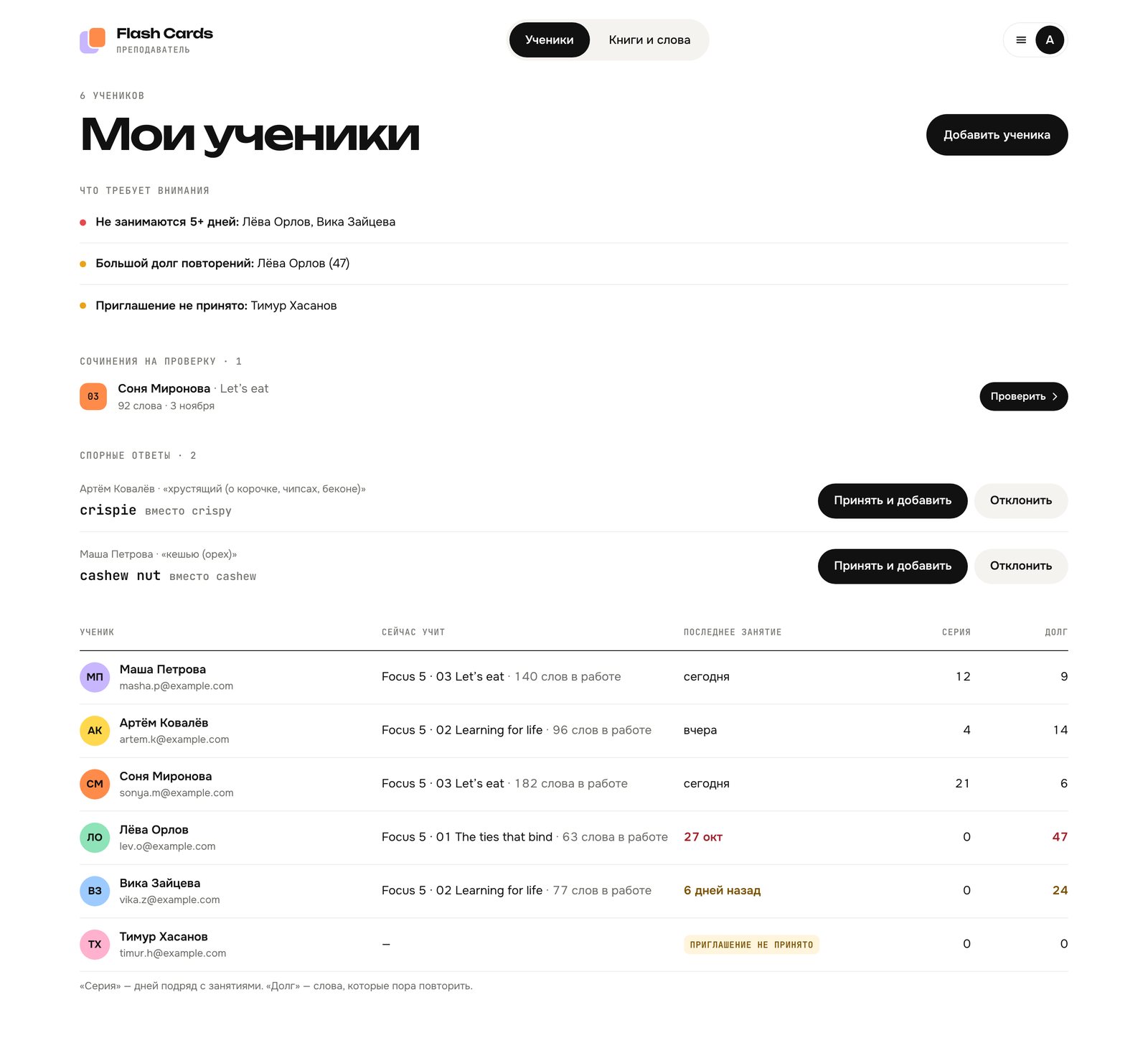
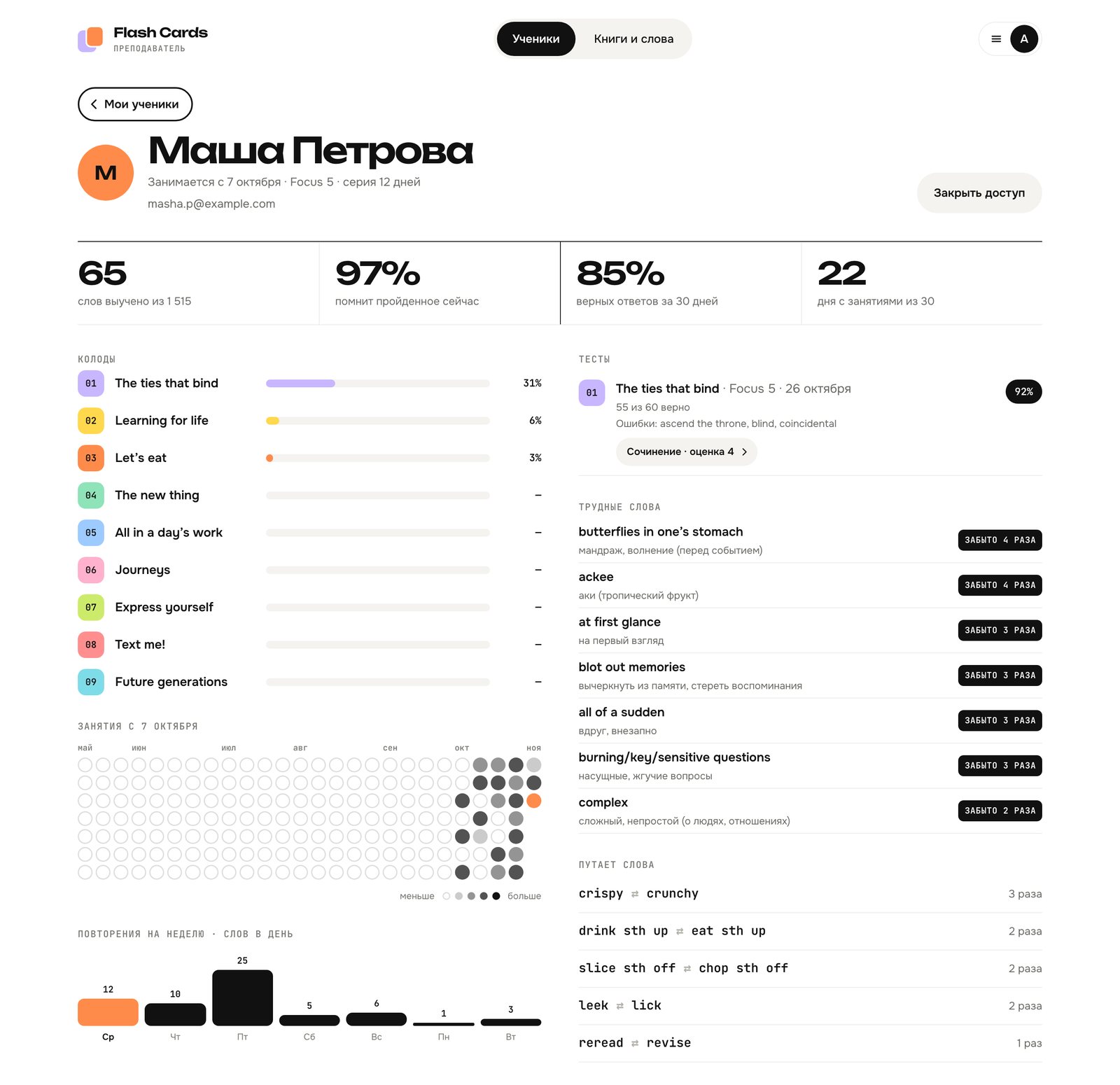
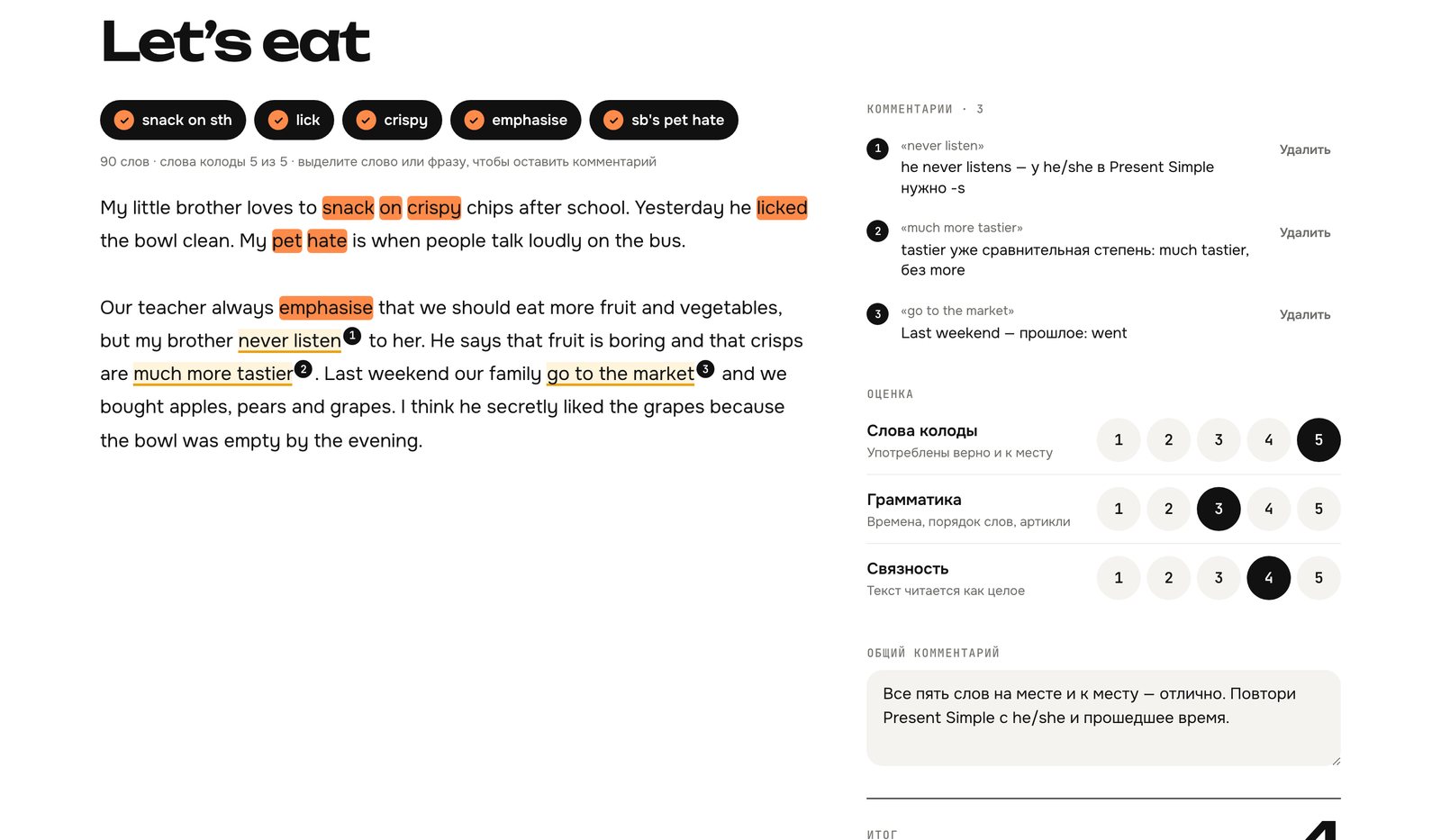
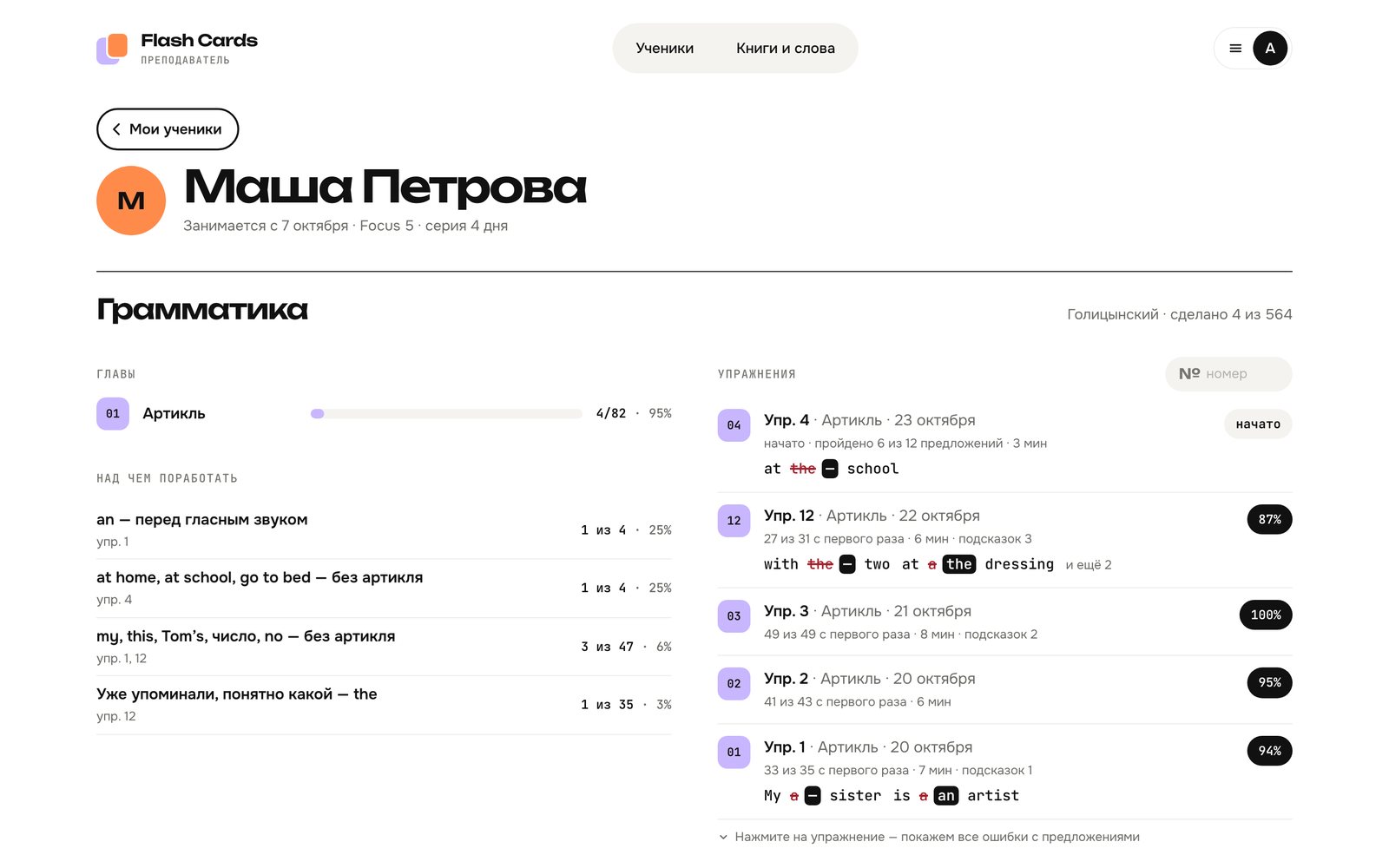
The dashboard screens use demo data: the students’ names and answers are made up.
Where students drop a lesson
Every answer goes into a log: what was asked, what the student answered, how long they thought, which wrong option they picked. On top of the log there is PostHog: lesson starts and ends, and session recordings with everything the student types hidden.
Lesson rounds: accuracy and time
Students’ answers only, October to early November.
Of 68 started lessons, 14 weren’t finished. Seven of them reached “Typing”, and all seven stopped right after a wrong answer. That was four different students, 14–28 October, before the new answer input.
Recognition and recall are both a choice of four, and students get through them with almost no mistakes. Typing is the next step up, and the gap is big: 97% in 3 seconds against 72% in 12. A student who can’t recall a word has nothing to lean on and closes the lesson.
Every lesson dropped in “Typing” stopped right after a mistake.
The student has nothing to lean on at the moment a word won’t come. The goal is to help, not to push.
Tap the dotted word to peek at the word and an example. The answer counts, but the word comes back as soon as tomorrow.
Lessons dropped in “Typing”, and how well peeked words are recalled in review.
Shipped on 4 November, first measurement in two weeks. We tell the effect of the hint from that of the new answer input (31 October) by date.
Another cycle, typing on a phone, from a student’s complaint and a survey to answering right in the sentence gap, is covered in a separate case: “An answer field that fits above the keyboard”.
The next hypothesis from the same data: there should be a step between choosing and typing, such as building the word from letters, the way grammar exercises first have you build the answer from tiles.
How one person runs the whole product
An AI agent writes the code, and the product rests on the system around it. Every decision is written down with its reason, every change is checked on real words from the books and on a real phone, and the data goes back into research.
Research
How words are memorised, algorithms, competitors. All before the first screen.
Decision log
35 decisions with reasons. When anything disagrees with it, the log wins.
Build
Claude Code writes the code from the decisions.
Checks
Tests on the books’ words, database access rules, screens on demo data.
Review
UI Lab, UX Lab and a lesson in Safari on an iPhone.
Production and data
Deploy on push, the answer log, PostHog.
- what we build and for whom
- the rules of the method and of answer checking
- which version of a screen goes into work
- whether a lesson passes on an iPhone
- what the data means
- code and tests
- drafts of translations, examples and exercise answers
- UI Lab and UX Lab runs
- deploys
What it looks like in practice
When typing, the answer goes right into the gap in the example; there is no separate field. … On an iPhone with the keyboard open, the card has about 350 pt left. … In the sentence you see the word, where it goes and which form it needs, all at once.
Every decision has a “why” and a “what follows from it”.
On the lesson screen, the hint sits on top of the card. It doesn’t move the options, the field or the buttons, and it doesn’t replace the word.
My comment becomes a rule for every later agent session.
The AI draft for Focus 1 listed 35 answers without the article, so the test accepted “We booked flight to Rome”.
It came up when I checked the draft. I wrote the article rule into the log and the tests and removed the extra answers the same day.
UI Lab and UX Lab are my skills for Claude Code. UI Lab captures a screen 1:1 next to its reference, in greyscale and “squinted”, checks it against 62 composition rules, and for a disputed screen builds three versions right inside the live page. UX Lab runs scenarios with scripts, estimates time with KLM, runs synthetic participants and compares the results with the previous run. I use the same skills to review products at my main job, so the cycle carries over to a team.
The rules everything rests on
After a lesson, each word gets an FSRS card. FSRS is an algorithm that schedules a review just before the word would be forgotten. There is one card per word, and the task changes as memory grows: a fresh word you recognise, a settled one you type.
The scale is memory stability: how many days a word holds without a review.
How an answer becomes a rating
| Answer | For the algorithm |
|---|---|
| Wrong, in any format | Again |
| Correct choice, but slower than 8 seconds | Hard |
| A typo, or an answer after a hint | Hard |
| Correct choice or typing | Good |
| Correct typing faster than 4 seconds | Easy |
We forgive a typo, not a mix-up
| How an answer is checked | |
|---|---|
| 01 | Case, spaces and apostrophes are ignored. The article at the start and sb, sth can be left out |
| 02 | “bland/tasteless”: either variant counts |
| 03 | leek instead of lick is a mix-up, not a typo, and the pair goes to the teacher |
| 04 | Typos allowed by word length: 1–3 letters → 0, 4–6 → 1, 7–10 → 2, 11 or more → 3 |
7,199 words to learn from day one
The publisher’s word list has only the word and its transcription. AI prepared translations at the book’s level and examples for every entry in the five Focus books. I set the answer-checking rules, and every word was checked by agents, deck by deck, and by a validator. Separately, I put together a book of irregular verbs.
Opposites and words with the same root don’t count: unreliable for reliable, cloudy for cloud. Equivalent variants do.
The word list belongs to the publisher, so the app is closed: only students the teacher has added can get in.
phrases and expressions, almost half the entries. Answers to them are checked word by word
entries with several correct answers, like bland/tasteless
entries with sb, sth and one’s, which can be left out
examples where the gap was narrowed or the example rewritten for the word
Result
students with the teacher in the first two weeks
student answers in lessons, reviews and tests
of started lessons students finish
from research to the first students
words in 44 decks across six books
exercises from the exercise book, with answers
The teacher also studies in student mode. That is another 1,186 answers, not counted above. Students bring their friends, and the project is slowly growing. When a second teacher dashboard was needed, I split the admin role from the teacher role. From day one the data model stored a teacher for every student, so I didn’t have to rebuild it.
Next
- A step between choosing and typing, based on the data on dropped lessons.
- AI language assessment: a draft essay grade for the teacher, and speech later.
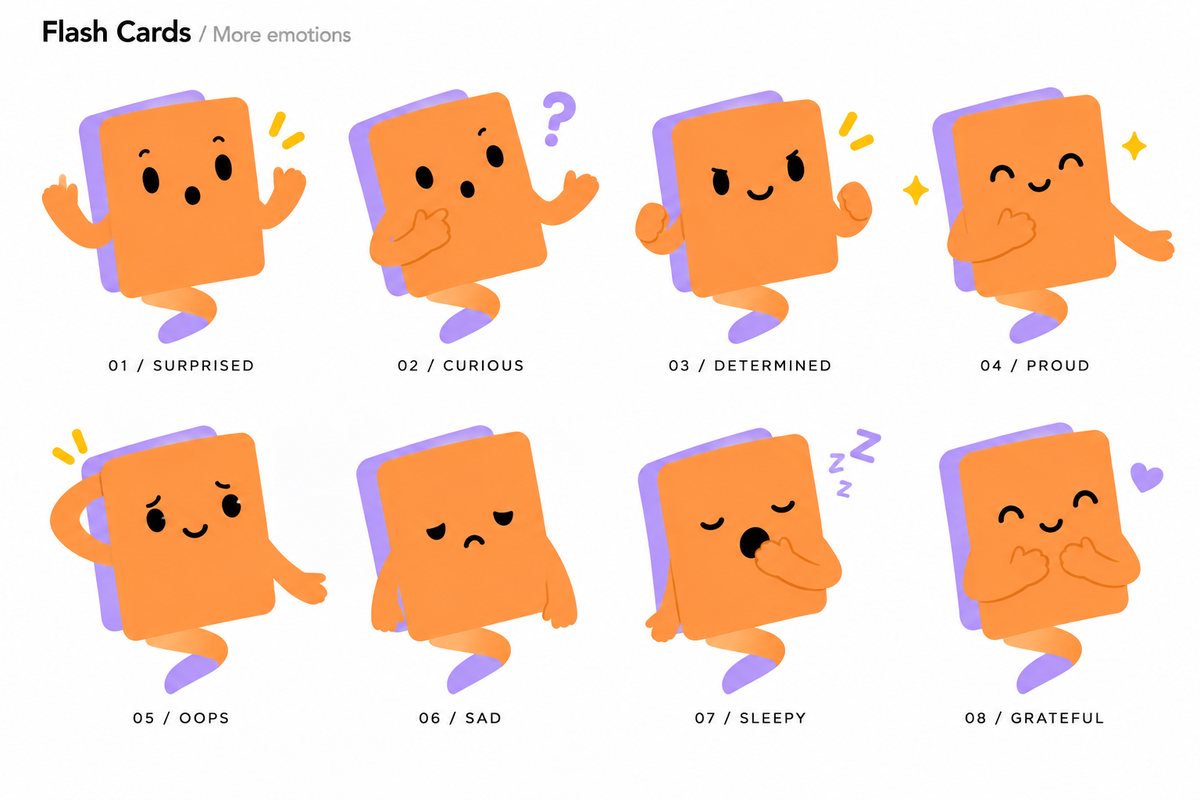
- A mascot and game mechanics on lesson summaries, streaks and mistakes.
- Reviewing grammar mistakes a few days later, and a test on the topic.
What I took away
A learning product rests on its method and its data. I wrote down the rules for reviews, answer checking and word preparation before the first screen, and built in the answer log from day one. That is why the place where students drop a lesson showed up in the data before it showed up in complaints. AI gives speed, and the system around it keeps the quality: the decision log, rules from review and testing on a real phone.