Document preview, rebuilt for three roles
- TL;DR
- Product: MySky Spend, where private aviation expenses are digitised. The document preview shows an uploaded original, an email, invoice or receipt, next to the data MySky extracted from it.
- Problem: nobody had touched the modal in a long time, and it was awkward for every role. HTML emails fell apart in its narrow column and became unreadable. The product manager asked for a fix with design and frontend only, no backend.
- My role: I took the task from the product manager and ran it: collected and analysed complaints, studied three roles, designed the solution, built an interactive prototype in Figma Make and ran four rounds of validation.
- Result: in production in three weeks. All 500 daily users of the product open this window, and 1,000+ documents a day pass through it. Every user group responded well, with no requests to roll back. A separate backlog task, a compact picture-in-picture mode, was closed along the way.
One modal, six places
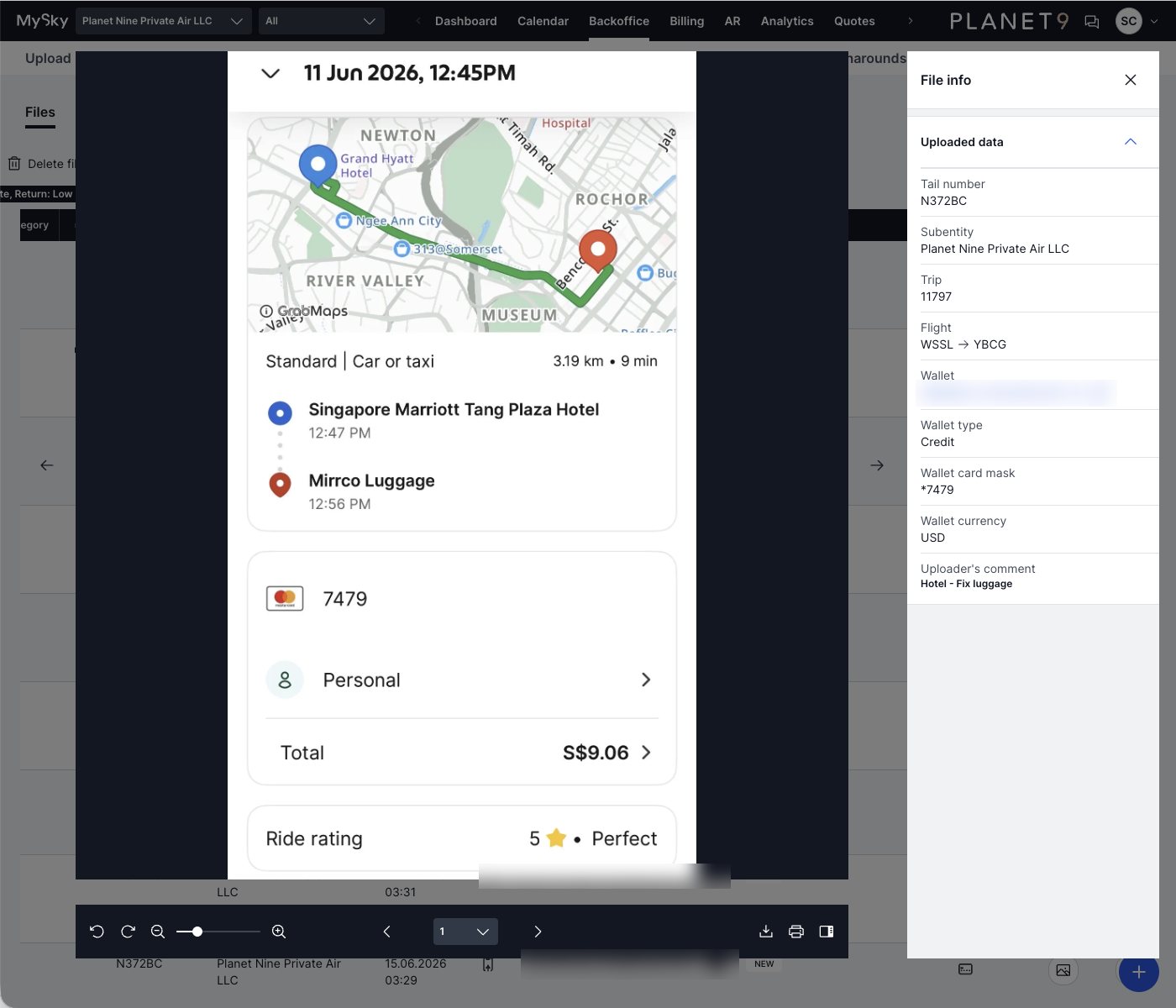
Document preview isn’t a separate screen but a pattern: the same modal opens in six places in Spend, each time for a slightly different reason. It shows the original of an uploaded document next to how MySky digitised it: the extracted data and where the document came from.
Three roles work with it:
- digitisers and analysts, who need the document itself, the image;
- account managers, who need the metadata, the source and how the document arrived, to verify it;
- clients, who use the same window at the last step to check their pilots’ expenses.
The problem
The key pain was the email body. Signatures and custom layouts fell apart. MySky shows an email exactly as it came, so the content was fine: the narrow column split the HTML layout into pieces and the text became unreadable.
The product manager set one condition: improve it with design and frontend only, without backend. That coincided with the company’s move to shadcn/ui. The modal had to be rebuilt on the new system anyway, and doing both at once sped the work up a lot.
How I worked
- I started by collecting complaints from everyone who works with the window and narrowed them down to a short list of key problems.
- I talked to digitisers, analysts and account managers directly. Not a hallway poll but a proper study, to understand how each of them uses the window.
- I built a fully working, clickable prototype in Figma Make that people could actually test.
- I posted it in Slack with the goals and decisions and collected the team’s feedback.
- Four rounds of changes followed, the last two small, eleven versions of the prototype in all. The first round closed about 80% of the problems we had found.
- At the end we brought in clients and validated the solution with the people who use this window to check their pilots’ expenses.
What changed
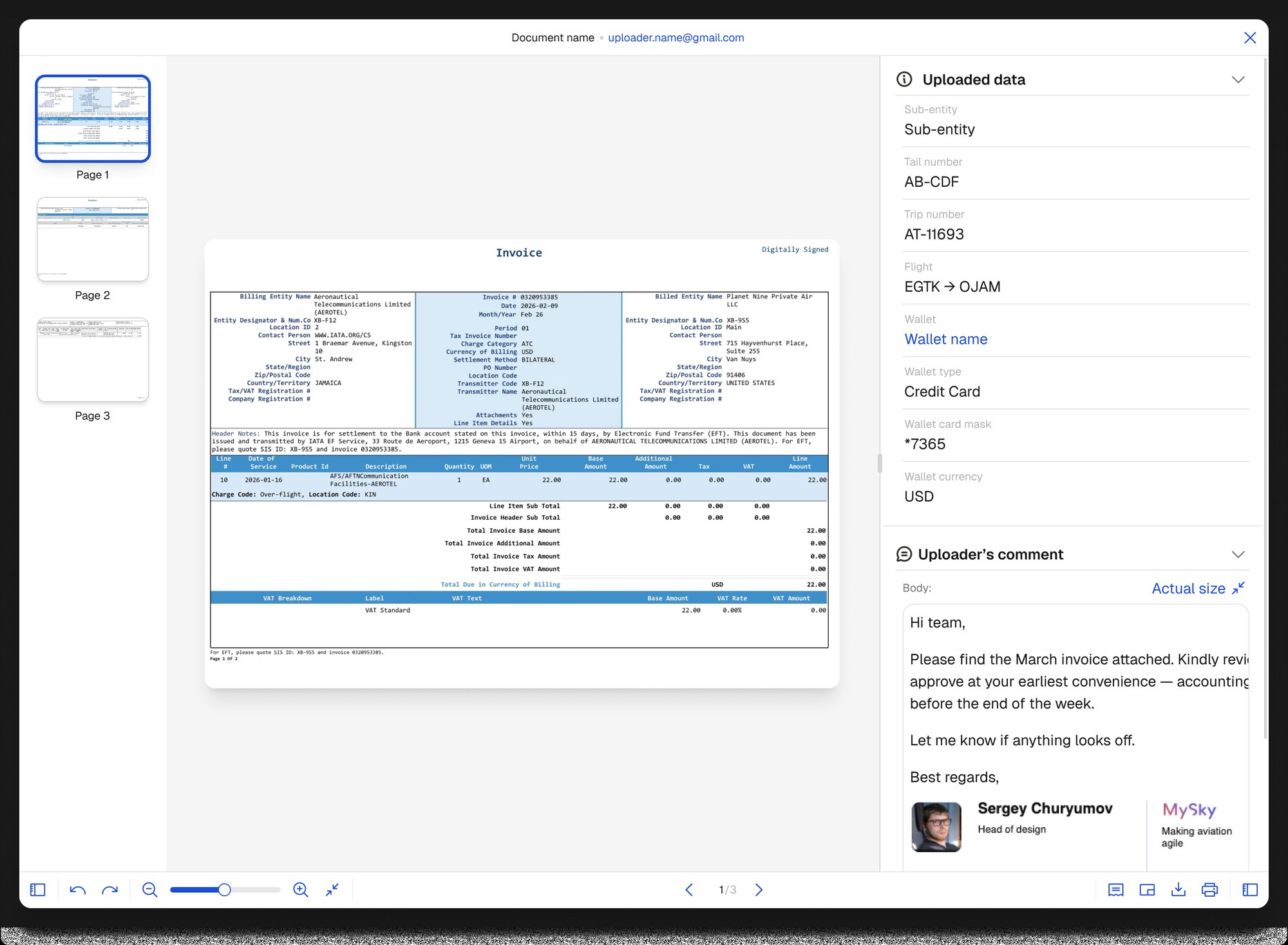
I rebuilt the window almost completely, on shadcn/ui, as part of the migration. Because the task ran under the move to shadcn, nobody treated it as an isolated redesign of an old component, and that sped it up.
A flexible workspace
The right panel widens when you need to read the uploader’s comment or the uploaded data, and both side panels close when you only need the document. Digitisers keep the document and data side by side, account managers widen the email, clients focus on the original.
A readable uploader’s comment
The old narrow block broke HTML signatures and made emails unreadable. The new one gives the email more room and a simpler structure.
The document in focus
Less empty space around the document and a cleaner centre. The document became the main object on the screen, not part of a crowded modal.
Pages for large PDFs
Files can run to 100–150 pages, so the window still shows one page at a time. A panel of thumbnails on the left handles navigation and hides when a scenario doesn’t need it.
A bonus: compact mode
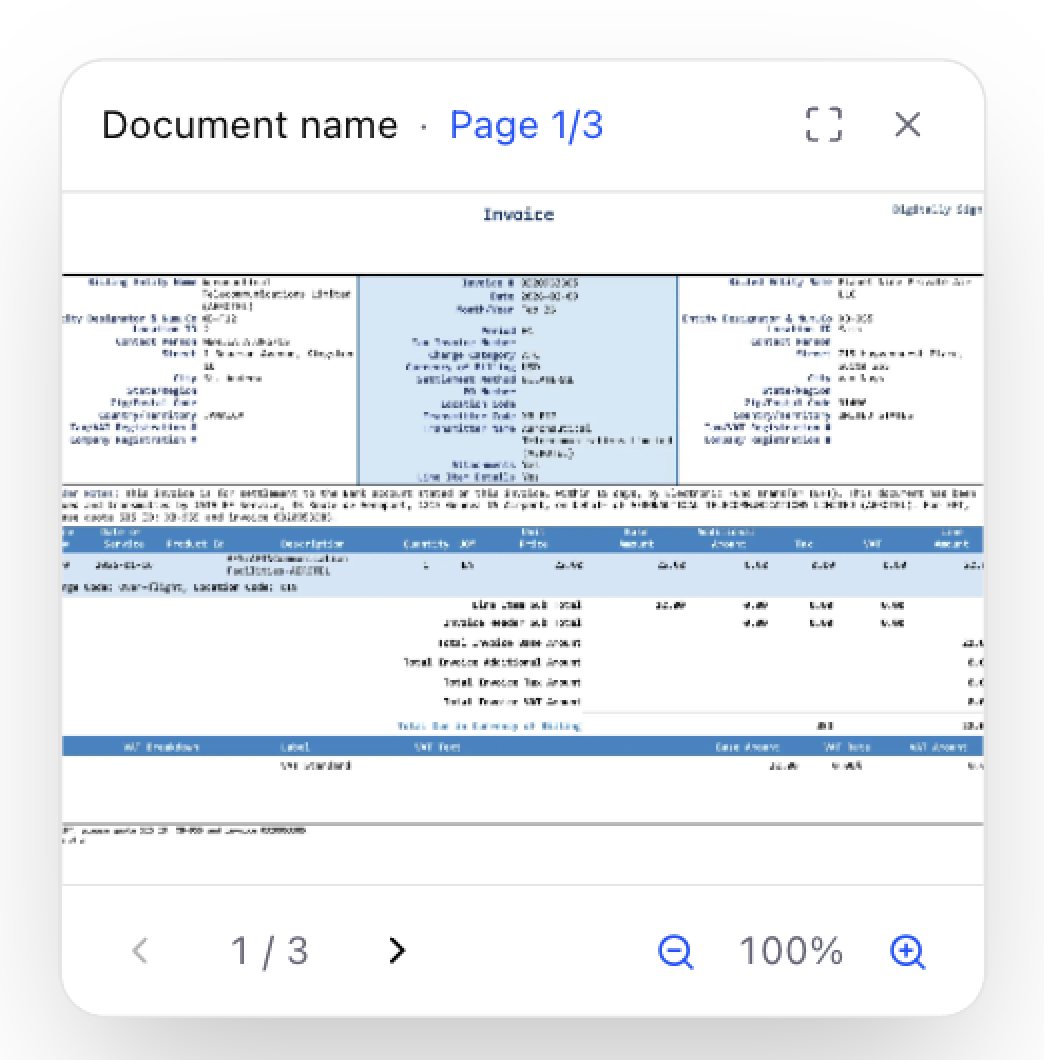
A separate task for a compact picture-in-picture mode was sitting in the backlog: view the document, move between pages, zoom, and navigate the thumbnails while zoomed in. I built it as part of this redesign, so one solution closed two tasks.
Result
All three user groups responded well, some with explicit thanks. The HTML email problem is solved, and the picture-in-picture task is closed too.